FABRIX logo
Fluidraft Module 001
Manufacturing & DFM

Can this chip actually be made — with the process you chose?

Fluidraft tells you how your design will behave. FABRIX tells you whether it can be fabricated: pick a manufacturing process, get object-level design-for-manufacturing findings on the live design — the 62 µm channel that a 75 µm end-mill can't cut, the wall that will tear out, the bend tighter than the tool — fix them in place, re-analyse to READY, then hand the shop one coherent manufacturing package.

FABRIX is a paid module inside Fluidraft — same project, same canvas, same objects; nothing is imported or duplicated. In the browser demo it appears in its locked preview; in an unlicensed Fluidraft install it runs fully, with watermarked outputs, so you can evaluate it before buying.
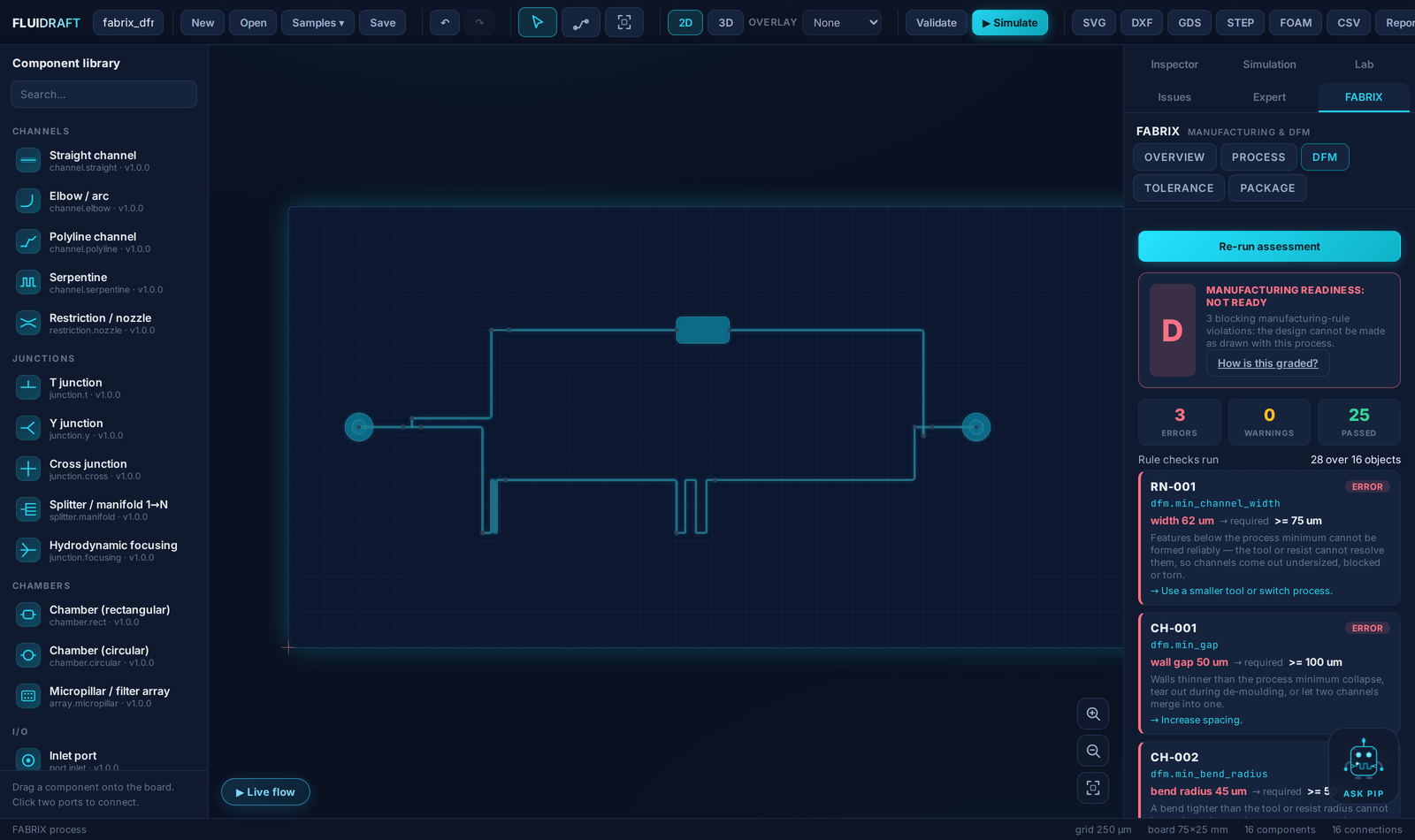
FABRIX inside Fluidraft: manufacturing readiness grade D with three object-level DFM findings next to the live CAD canvas

Four questions, answered on your live design

FABRIX is an orchestration layer over Fluidraft's own engines — the same design rules the Issues panel checks, the same Monte-Carlo tolerance engine, the same exporters. It never keeps a second copy of your geometry, so a finding always points at the real object.

Process

How will this be made?

Choose from the shipped fabrication profiles — PDMS soft lithography, CNC thermoplastic, hot embossing, glass wet etch, SLA/DLP — each with its design rules, its version, and an indicative process tolerance, all labeled GENERIC / INDICATIVE, never manufacturer-certified.

DFM

What's in the way?

Deterministic rule findings per engineering object: rule id, current value, the process limit, why it matters physically, and what to change. Click a finding and the canvas zooms to the offending feature; fix it in the Inspector; re-analyse. The verdict visibly expires the moment the design changes.

RN-001 · dfm.min_channel_width · width 62 µm → required ≥ 75 µm
“Use a smaller tool or switch process.”
Tolerance

The shop will miss nominal. Does it matter?

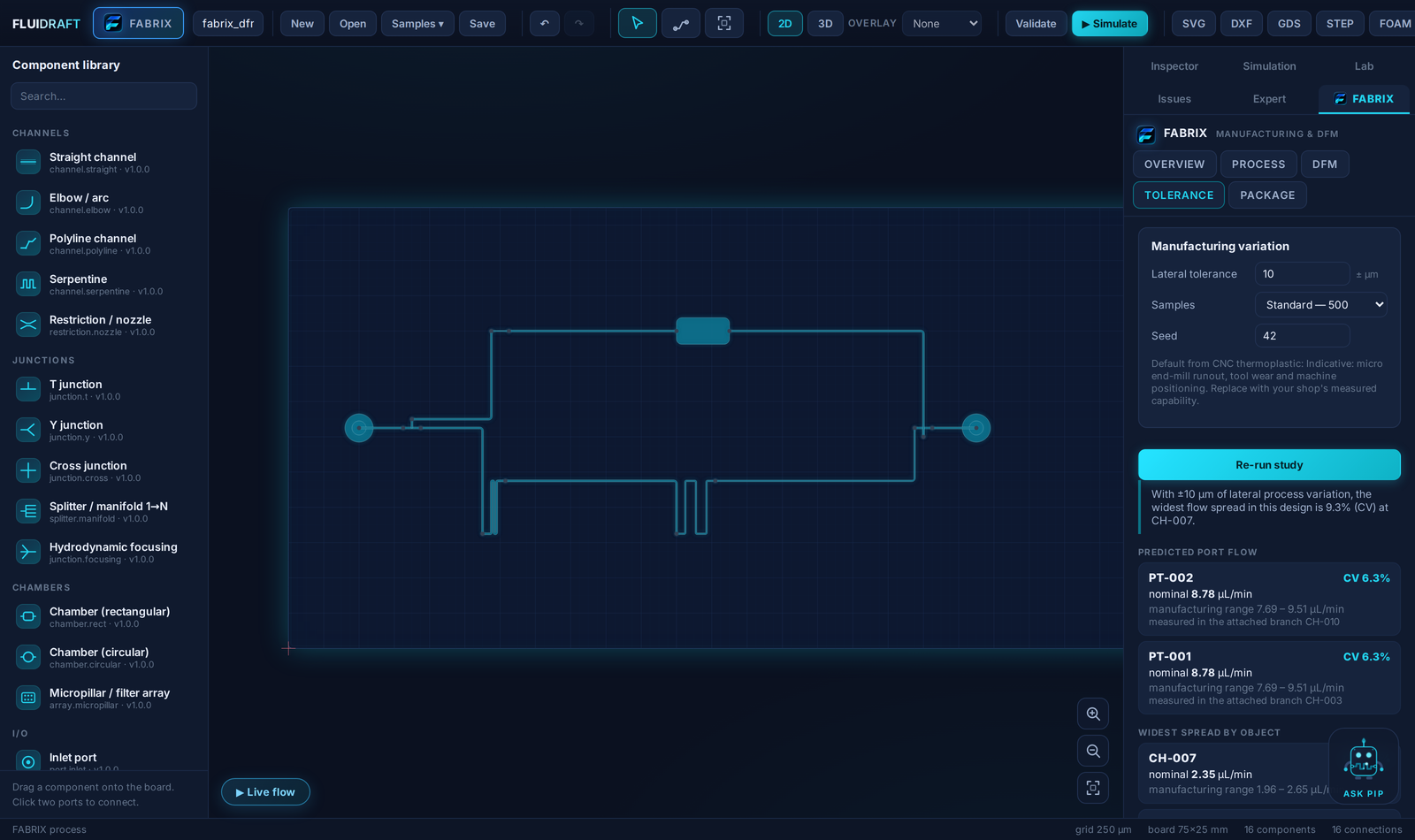
The existing Monte-Carlo engine, asked a manufacturing question: with ±X µm of lateral process variation, every branch flow becomes a range. Per-object and per-port results in µL/min, plus a ranked list of which dimension drives the spread — so you tighten the one that counts.

PT-002 outlet · nominal 8.78 µL/min · manufacturing range 7.69 – 9.51 · CV 6.3%
Package

What does the shop receive?

One zip: geometry (SVG, DXF, GDSII, STEP), the device specification and the canonical project file, a self-contained DFM report, the tolerance study as CSV, the full rule profile, and a reproducibility stamp. Anything that couldn't be produced is listed in the manifest with its reason — a gap in a hand-off is a question the shop shouldn't have to ask.

DESIGNSIMULATE FABRIX · analyse fix on canvas re-analyse → READY tolerance study manufacturing packageFABRICATE

A readiness grade you can argue with — not a yield score

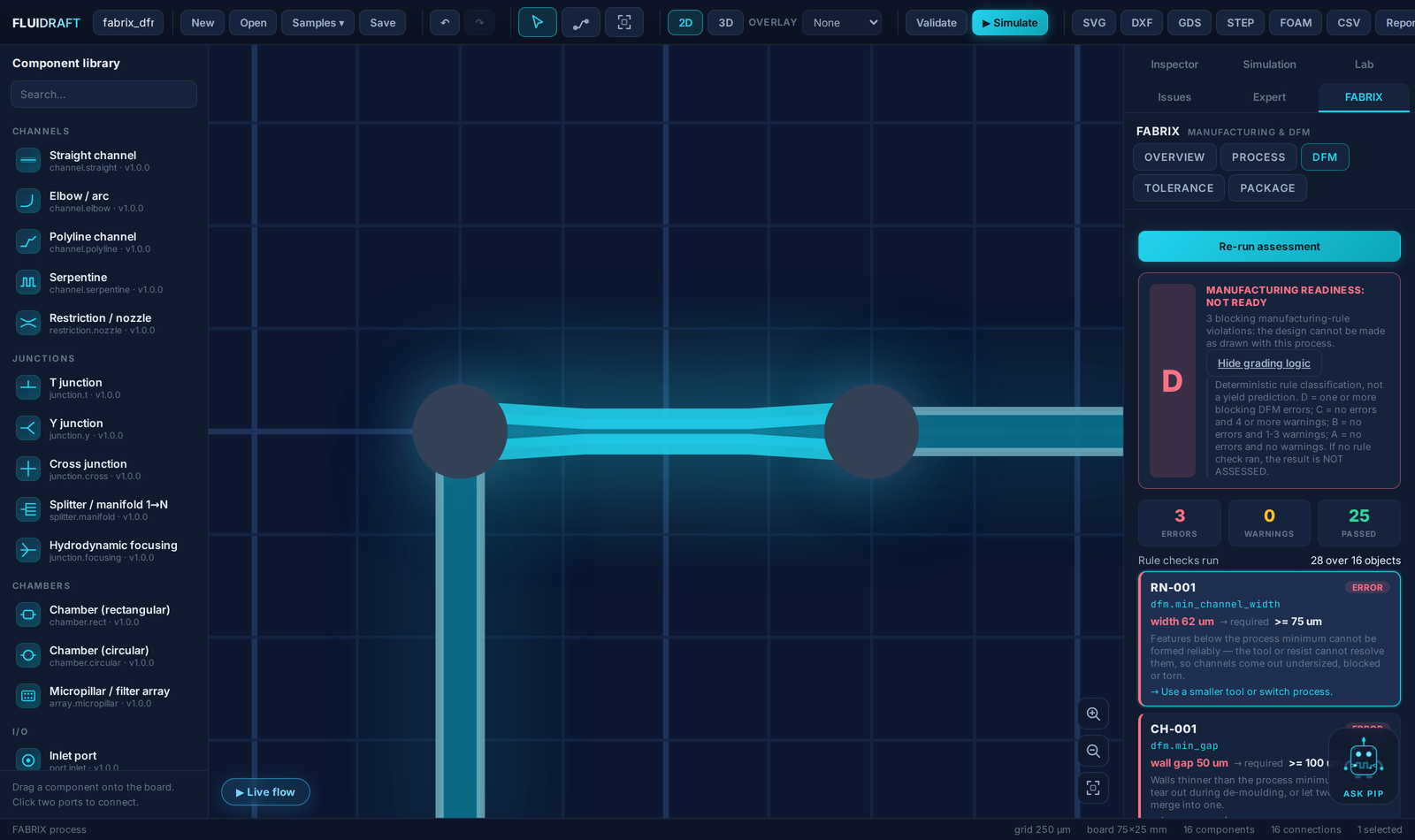
FABRIX classifies rule violations. It does not predict production yield, and it will not until there are validated manufacturing datasets to build such a prediction on. The grading logic is printed in the product, in every payload, and here:

AREADY — no errors, no warnings
BREVIEW — no errors, 1–3 warnings
CSIGNIFICANT REVIEW — no errors, 4+ warnings
DNOT READY — one or more blocking violations
NOT ASSESSED — nothing could be checked. Never shown as a pass.
No yield percentages. You will never see “87% manufacturing success probability” in FABRIX. A number like that requires validated fab data we don't have — so we don't print it. Every result carries isYieldPrediction: false, and the tests enforce it.
Generic profiles say so. The shipped process profiles encode published process knowledge and describe themselves as indicative. They are a starting point to validate against your actual process — not a guarantee from your fab. Verified, manufacturer-supplied PDKs are future work and will be labeled as a different thing.
Not a foundry marketplace. No RFQs, no automatic quotes, no fabrication ordering, no cloud. FABRIX prepares an honest hand-off to whoever makes your chips; the relationship with your fab stays yours.

In the workbench

Clicking a FABRIX finding zooms the CAD canvas to the offending feature
Click a finding, see the object: the canvas zooms to the 62 µm throat the process can't cut. Same instance in DESIGN, SIMULATE and FABRIX.
Manufacturing tolerance study: flow ranges per port and per object with sensitivity ranking
The tolerance study: process variation in, flow ranges out — and which dimension to tighten first. Same Monte-Carlo engine as the Lab.

Activation is a file, not a phone call home

FABRIX is switched on by your Fluidraft licence — one signed, offline file carrying Core and the module together. Install it from the licence chip and the module unlocks in place. No online activation, no account, no telemetry.

FABRIX is a subscription add-on to your Fluidraft plan — $49/month, or $490/year with two months free — and is carried by the same signed licence file. Letting it lapse never breaks Fluidraft — or your saved manufacturing settings, which stay untouched in the project file and come back the moment you renew. The full suite (Core + all three modules) is $189/month or $1,890/year.

$49/mo
or $490/year — two months free · founding price · academic 50% off

Subscribe yearly →or monthly

Licence file by e-mail after checkout · academic 50%: write from your institution

  • Sold as an add-on entitlement to a Fluidraft licence — buy it later and you receive one updated consolidated licence file
  • Independent subscription: renew Core and FABRIX together or separately
  • Try before buying: in evaluation mode FABRIX runs fully, with the same watermark as the rest of the product

Base Fluidraft never depends on FABRIX: design, simulation, exports and your project files work identically without it. A project that carries FABRIX settings opens unchanged on an unlicensed install — module data is preserved, never deleted.